
Canva’s move to make the Affinity app free has certainly been welcomed by all users in the creative field—such as photographers, graphic designers, and illustrators—as well as those in the advertising and publishing industries, including print shops and publishing companies, who may have previously had to pay very expensive subscription fees to use certain applications.
A comprehensive creative suite with everything you need to create designs, edit images, and build layouts—all within a SINGLE APP—without having to switch back and forth between different applications.
Serif Affinity Acquired by Canva
This free version includes Affinity Designer, Affinity Photo, and Affinity Publisher, all combined into one app.
Since its acquisition by Canva, the latest version of Affinity is now known as Studio: Vector (formerly Designer), Pixel (formerly Photo), and Layout (formerly Publisher).
By combining these three previously separate apps into a single app with a wide range of features, you’re free to rearrange your favorite panels and tools to create a custom studio.
Plus, you can save different settings, switch between them with a single click, and even share them with others or download their settings. Personalize the app to fit your workflow.
All-in-One App. Free!
- Fully featured toolsets. From vectors and pixels to layouts, Affinity brings together all the studio-grade tools you need in one place.
- Customizable studios. Bring up and customize your favorite tools—such as retouching, color grading, and more to build your own creative studio.
- Non-destructive editing. Experiment to your heart’s content; your original files will remain safe.
- Pixel-perfect export. You’re free to choose how your work is exported—as objects, slices, or documents.
Key Features of Affinity
Access all vector design, photo editing, and page layout tools in a single 3-in-1 app, so you don’t need to download multiple separate apps.
Design Workflow
- Combine vector (illustration) and pixel (photo) work in a single .af document
- Customize your workspace with floating toolbars and studio presets
- Real-time performance engine for super-smooth editing
- Non-destructive editing across layers, filters, and adjustments
- Import PSD, AI, PDF, SVG, IDML, and more with high precision
- Export with one-click presets or custom slice-based output
- Quick export directly to Canva
Advanced photo editing
- Filters and adjustments with instant previews
- Full RAW editing, tone mapping, and lens correction
- Advanced retouching: inpainting brushes, repair tools, dodge and burn
- Batch processing with recordable macros, HDR merging, panorama stitching, and more
Professional vector design
- Precision drawing with pen, node, and pencil tools
- Direct shape editing, Boolean operations, and shape builder
- Flexible gradients with full control
- Pixel-based drawing
- Pixel-precise vector tools for illustration and layout
Advanced page layout
- Connected text frames with autoflow and live text wrapping
- Smart master pages with placeholders and reusable layouts
- Professional typography: ligatures, style sets, drop caps, and variable fonts
- Print-ready output: CMYK, spot colors, preflight, bleed, and slug support
- Data merging from .csv files with tokens, image merging, and conditional logic
Canva AI Studio (Premium Features)
- Canva AI features are only available if you have a Canva Pro account.
- Generative Fill, Expand, and Edit
- Generate Images and Vectors
- Background Removal and Subject Selection
- Colorize, Depth Selection, and Super Resolution
- Portrait Blur and Portrait Lighting
- Full AI generation history
Overall, the free features offered are already very robust—especially since you can use this graphic design app for FREE, meaning you don’t have to spend a single penny.
For instant features that don’t require manual editing—such as removing image backgrounds and other advanced AI features—you’ll need a Canva Pro (Premium) account. These features can be accessed with just one click, just like you’re used to on Canva.
Affinity Product Name Changes
Affinity Designer Becomes Vector Studio
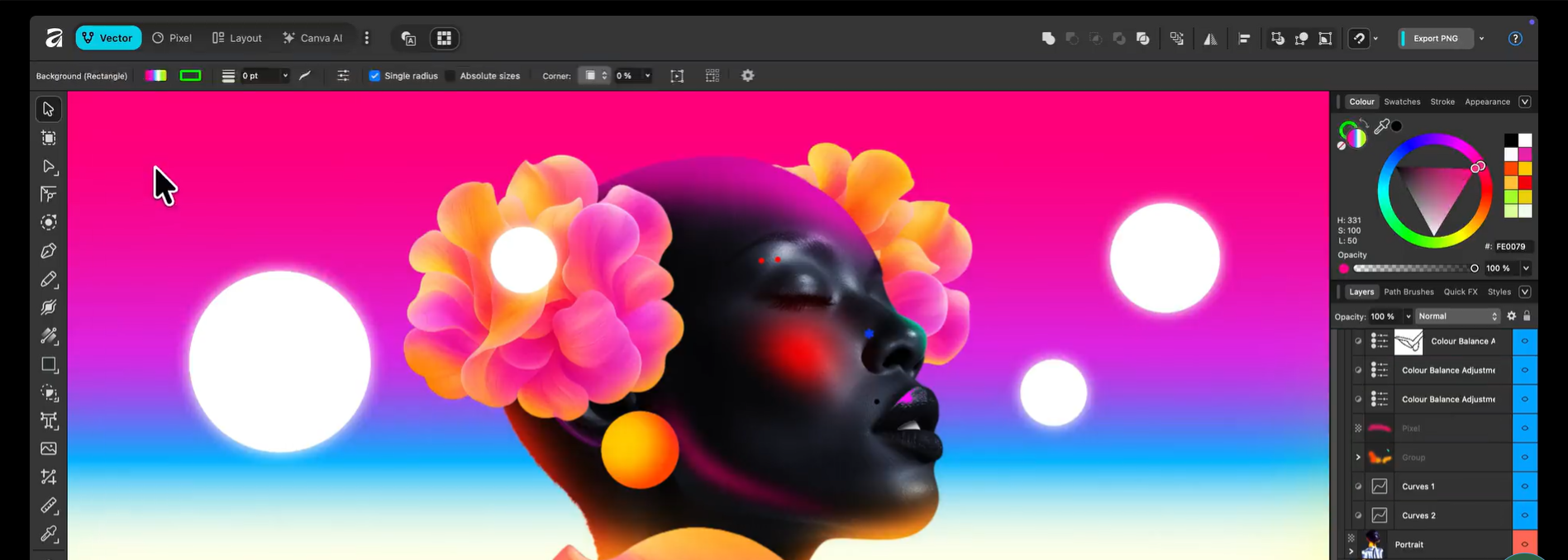
Affinity Designer has been renamed Vector Studio in the latest version of the Affinity app since its acquisition by Canva. The features in Vector Studio are generally the same as those found in CorelDRAW and Illustrator.
Affinity Photo Becomes Studio Pixel
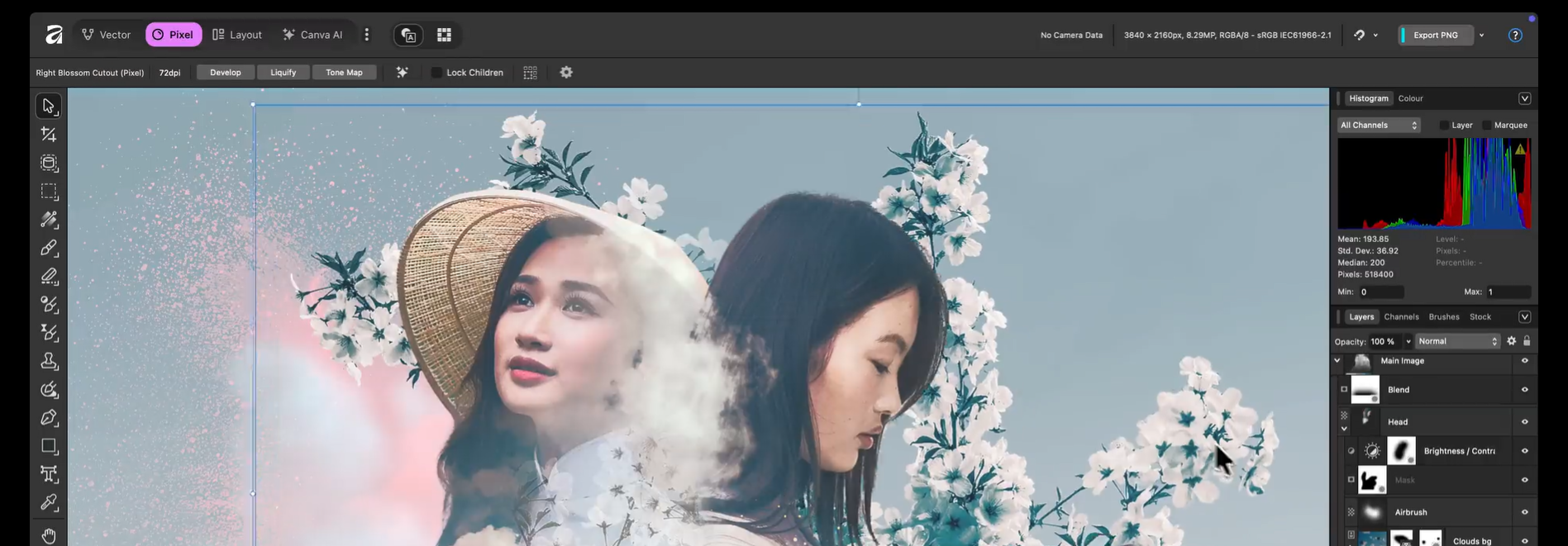
Studio Pixel—formerly Affinity Photo—has also been integrated directly with Studio Vector and Studio Layout. For those of you who have never used Affinity, the main functions of Studio Pixel are similar to those of Adobe Photoshop and Lightroom.
Affinity Publisher Becomes Studio Layout
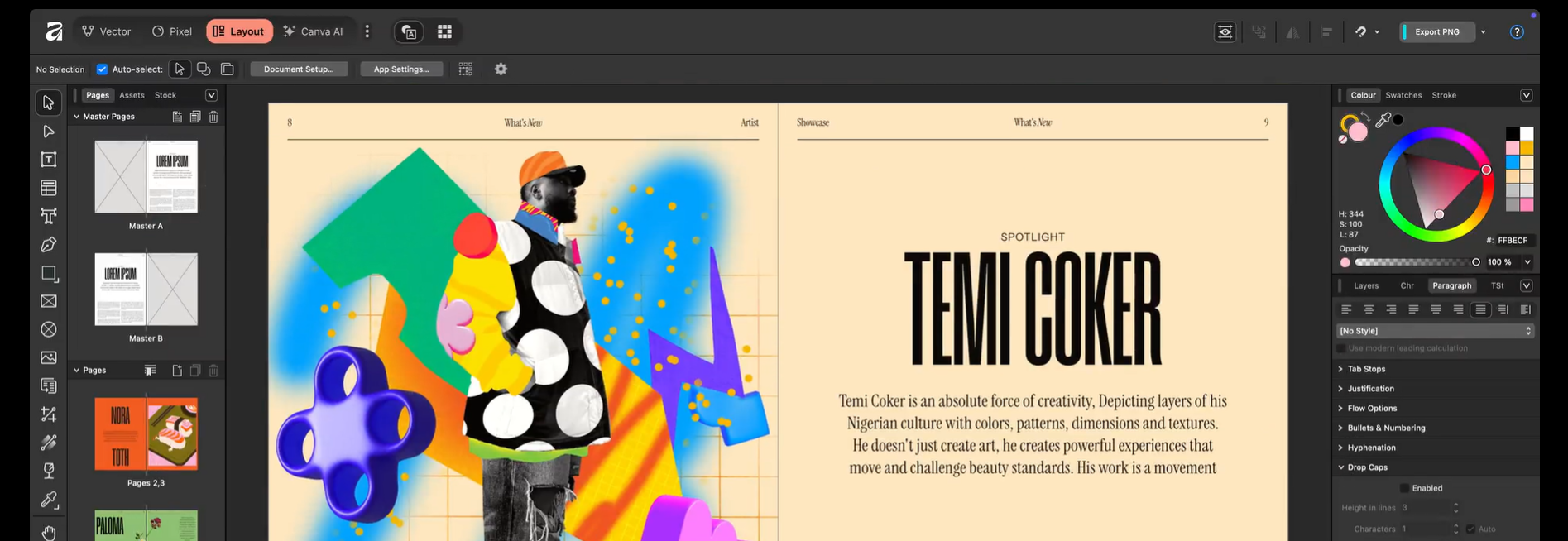
In addition to Affinity Photo and Designer being renamed, Affinity Publisher has also been renamed Studio Layout. So, not only can you create graphic designs and edit photos directly within the same app, but you can also design magazines, newspapers, and more right from this latest version of Affinity!
PSD Files Are Compatible with Affinity
If you’ve previously used Adobe applications or similar software, you’re certainly familiar with file formats like PSD, AI, and others, right?
In Affinity, you can import PSD, AI, IDML, DWG, and other file types you have into Affinity while preserving their structure, layers, and other elements. You and your colleagues can open and edit files seamlessly.
Whether from Adobe applications or Affinity.
Affinity by Canva: 100% free with no subscription fees!
Yes, Affinity is completely free. You can use all the tools in the Pixel, Vector, and Layout studios, as well as all customization and export features, as much as you want, with no restrictions or fees.
If you use Canva Premium (Pro), you can also unlock access to Canva’s advanced AI tools directly in Affinity.
Only Canva AI features are paid
If you subscribe to Canva Premium, you can access Canva’s advanced AI tools directly in Affinity, such as generative fill, background remover, and image and vector creation. Each tool is carefully designed to support your creative workflow, not hinder it.
Work with AI features in Canva AI Studio, or use AI tools in Pixel, Vector, and Layout—create, customize, edit, and finish your projects without switching between separate apps, which would otherwise consume a lot of storage space on your PC or laptop. Right?
Your content in Affinity isn’t used to train AI features. The Affinity team has stated that the content we create won’t be used internally, and we’re given the option to choose whether or not to grant access to our content for training their AI features.
Neither Affinity nor Canva can access your local files. When it comes to content you want to upload to Canva, you’re in control. You can review and update your preferences at any time in Canva’s settings if you ever need to make changes.
Coming soon to iPad
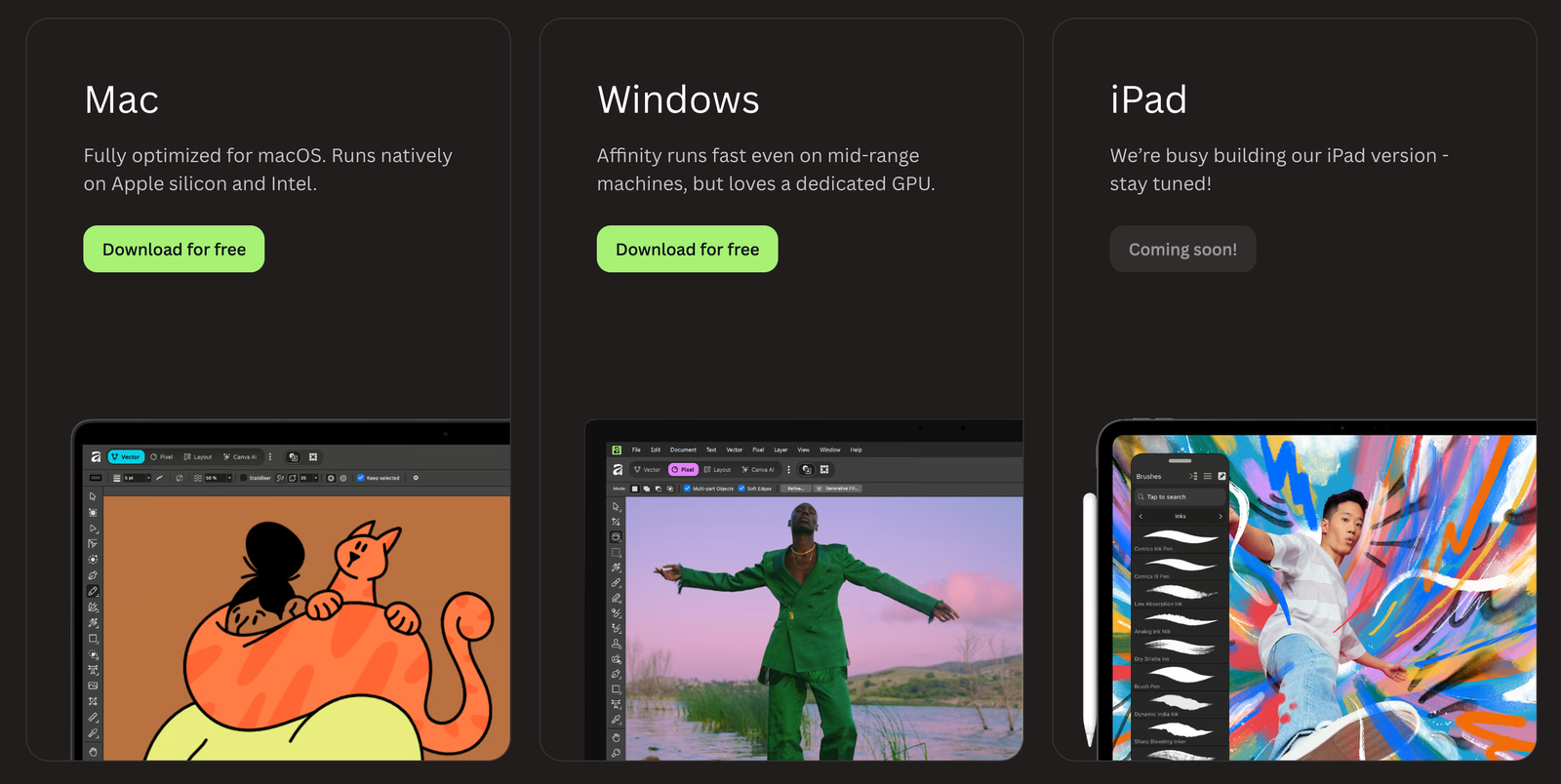
According to their official website, the latest version of the Affinity app will soon be available on iPadOS, so if you own an iPad, please be patient as you wait for the release of the latest version of Affinity!
When will Android tablets be able to access Affinity?
No official source from Affinity has mentioned plans to release Affinity for Android tablets. Even in its earlier versions—before it was acquired by Canva—Affinity never released an app on the Google Play Store.
We’ll just have to wait and see. Hopefully, Serif or Canva—Affinity’s parent companies—have future plans to release this 3-in-1 app on the Android platform.
Will Affinity become a serious threat to Adobe?
Canva’s move to make the Affinity app free has certainly sparked a lot of discussion on social media, and Canva is likely using this as an opportunity to encourage users who previously used Adobe Photoshop or Adobe Illustrator to switch to this completely free app.
And of course, this is a major plus and good news for Canva Premium users, who will gain access to more complex and reliable editing features compared to Canva’s more limited editing tools.
On the other hand, it seems Canva wants to capture a larger market share, get new users accustomed to using the Affinity apps, and build a strong community to compete with Adobe.
Let’s hope the Affinity Suite remains free forever—and isn’t just a temporary enticement. Hehe
What do you think? Have you downloaded the latest version of Affinity yet? Share your experiences and first impressions of using this Affinity by Canva app!
Also read : https://rickyismail.com/id/buat-akun-alipay-untuk-dipakai-di-luar-negeri/







Leave a Reply